

Friday, April 8, 2011

 For these tags l used a Blog Train ScrapKit for April from Melissa
Its called " Pirates Not Allowed "
You can find it on Melissa's Blog HunnyBee Designs here
I used a Mask from Bev of HorsePlay's Pasture, you can find them here
The Font l used was the same as the layout, candy script you can find it here
The Tubes l used are Suzanne Woolcott and PinUpToons you can find them here and here
Melissa l hope you enjoy what l have done with this amazing kit, l really love your work.
Hugs lee xx
-----------------------------
I began this tag with a 800 x 800 transparent image and added paper2 then went to layers. load/save mask and selected my mask and hit load
Next l added the frame after a minor adjustment to its size and adding a drop shadow of 5
The Flower came next and was resized to 300 the added to the tag with a drop shadow of 4, some adjustment in the size was done once it was place
The Flowerstem was the last element added to the PinUpToons tag, after a resizing to 450 it was placed on the tag with a drop shadow of 5.
A minor adjustment was done once the tube was added to the tag so the bottom of the stem.
** The Gorjuss Tag had a extra paper added and sent below the mask plus a added frame and flower which were adjusted in size
Licenses details and Melissa's name were the last details add
Hugs lee xx
For these tags l used a Blog Train ScrapKit for April from Melissa
Its called " Pirates Not Allowed "
You can find it on Melissa's Blog HunnyBee Designs here
I used a Mask from Bev of HorsePlay's Pasture, you can find them here
The Font l used was the same as the layout, candy script you can find it here
The Tubes l used are Suzanne Woolcott and PinUpToons you can find them here and here
Melissa l hope you enjoy what l have done with this amazing kit, l really love your work.
Hugs lee xx
-----------------------------
I began this tag with a 800 x 800 transparent image and added paper2 then went to layers. load/save mask and selected my mask and hit load
Next l added the frame after a minor adjustment to its size and adding a drop shadow of 5
The Flower came next and was resized to 300 the added to the tag with a drop shadow of 4, some adjustment in the size was done once it was place
The Flowerstem was the last element added to the PinUpToons tag, after a resizing to 450 it was placed on the tag with a drop shadow of 5.
A minor adjustment was done once the tube was added to the tag so the bottom of the stem.
** The Gorjuss Tag had a extra paper added and sent below the mask plus a added frame and flower which were adjusted in size
Licenses details and Melissa's name were the last details add
Hugs lee xx
Thursday, April 7, 2011
 For this layout l used Lissa's April Blog Train Kit - Pirates Not Allowed
You can find it here on Lissa's Blog HunnyBee Designs
The font l used is one of my favorite Candy Script, you can find it here
The photo is one of my, from a trip to Ballarat Victoria my home town
Melissa l just adore the colors in this kit and the elements, awesome work
Hugs lee xx
For this layout l used Lissa's April Blog Train Kit - Pirates Not Allowed
You can find it here on Lissa's Blog HunnyBee Designs
The font l used is one of my favorite Candy Script, you can find it here
The photo is one of my, from a trip to Ballarat Victoria my home town
Melissa l just adore the colors in this kit and the elements, awesome work
Hugs lee xx
Monday, April 4, 2011

For this tag l used the amazing work of HF-Projekte, the ScrapKit is called " Flowerpower Mega DesignerPack"
You can view Heppy's Blog HF-Projekte here
The ScrapKit can be purchased from Aussie Scrap designs here
The font l used was A&S Blaze, you can find it here
Heppy thank you for this amazing ScrapKit
Hugs lee xx
 For this tag l used a amazing ScrapKit from HF-Projekte called " Purple Dream "
You can view Heppy's Blog HF-Projekte here
You can purchase the ScrapKit from Aussie Scrap Designs here
The font l used was A&S Blaze, you can find it here
The tube l used was from Lia, you can find her work here
Heppy your work is truly amazing, l enjoy using it as well as seeing what you come up with. Continue surprising us all with your amazing creations
Hugs lee xx
---------------------------
For this tag l selected to not use a mask, l wanted this tag to be unique as the kit is.
I selected dream23 and resized it to 500 adding a drop shadow of 5
Dream2 came next and after a resizing to 300 l placed it on the center of the dream23 adding a drop shadow of 4
Dream19 came next and was resized to 500 then send down below the dream23 element with a drop shadow of 3
The Tube was selected and add to the tag with a drop shadow of 5
The last two elements were dream26 and 29 both were resized to 250 and added to the tag, angled and adjusted in size to fit the spots they were placed in. dream26 was also duplicated with the second butterfly angled in a different direction, all 3 elements were given a drop shadow of 2
License details and Gails name were the last things added
Hugs lee xx
For this tag l used a amazing ScrapKit from HF-Projekte called " Purple Dream "
You can view Heppy's Blog HF-Projekte here
You can purchase the ScrapKit from Aussie Scrap Designs here
The font l used was A&S Blaze, you can find it here
The tube l used was from Lia, you can find her work here
Heppy your work is truly amazing, l enjoy using it as well as seeing what you come up with. Continue surprising us all with your amazing creations
Hugs lee xx
---------------------------
For this tag l selected to not use a mask, l wanted this tag to be unique as the kit is.
I selected dream23 and resized it to 500 adding a drop shadow of 5
Dream2 came next and after a resizing to 300 l placed it on the center of the dream23 adding a drop shadow of 4
Dream19 came next and was resized to 500 then send down below the dream23 element with a drop shadow of 3
The Tube was selected and add to the tag with a drop shadow of 5
The last two elements were dream26 and 29 both were resized to 250 and added to the tag, angled and adjusted in size to fit the spots they were placed in. dream26 was also duplicated with the second butterfly angled in a different direction, all 3 elements were given a drop shadow of 2
License details and Gails name were the last things added
Hugs lee xx

For this tag l used the amazing work of HF-Projekte, the ScrapKit is called " Flowerpower Mega DesignerPack"
You can view Heppy's Blog HF-Projekte here
The ScrapKit can be purchased from Aussie Scrap designs here
Select a font for this tutorial that suits your taste
The Tube is from Lia's collection, you can view her blog here
Heppy you amazing me with the way you blend the colors together to come up with amazing PTU/CU elements and papers.
Awesome work
Hugs lee xx
------------------------
I began this tag with a 800 x 800 transparent image and add paper7 then went to layers, load/save mask and selected my mask and hit load. Adding a drop shadow of 2 to the mask
Then l selected Element 28 and resized it to 500 and angled it, sending it down below the mask with a drop shadow of 4
Element29 came next and after a adjustment to the size and placement on the tag l added a drop shadow of 4
Element 18 and 22 came next both were resized to 250 and added to the center of element 29 with a drop shadow of 4
I selected the Lin tube to fit in with the style of the tag and added a drop shadow of 4
Last l added a dual border and license details place Lin's name
Hugs lee xx
Saturday, April 2, 2011
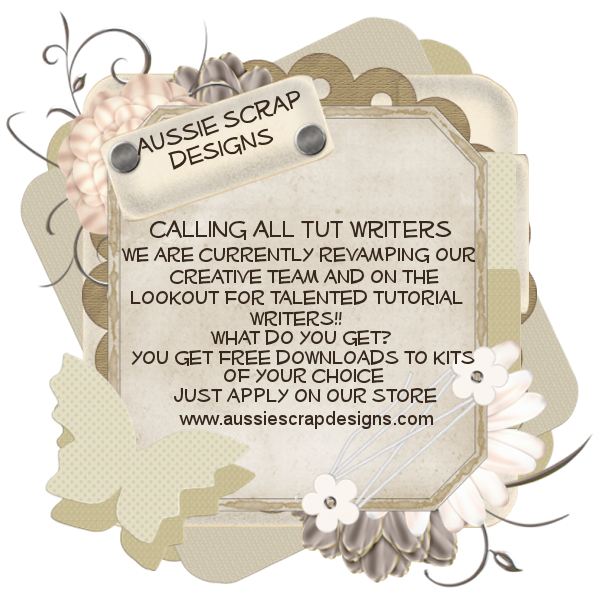 If you make tutorials, layouts and love using amazing ScrapKits, WordArts, frames etc then please pop into Aussie Scrap Designs and join our team.
Click here for the Store
If you make tutorials, layouts and love using amazing ScrapKits, WordArts, frames etc then please pop into Aussie Scrap Designs and join our team.
Click here for the Store
Friday, April 1, 2011


Please click the preview to download
The Ziggy Train has left the station
This Train is about seasons, Summer, Spring, Fall ( Autumn ) and Winter
Station - The Ziggy Train
Stef's Scrapkits
Black Widow Creationz
MidnightMusic WordArt and Tutorials
Hugs lee xx
Subscribe to:
Posts
(Atom)


